
What to Say in a Voicemail Greeting: Check Yours
Paste the greeting you use now and see what to add, what to cut and how long it plays.
Free · runs in your browser · nothing is uploaded
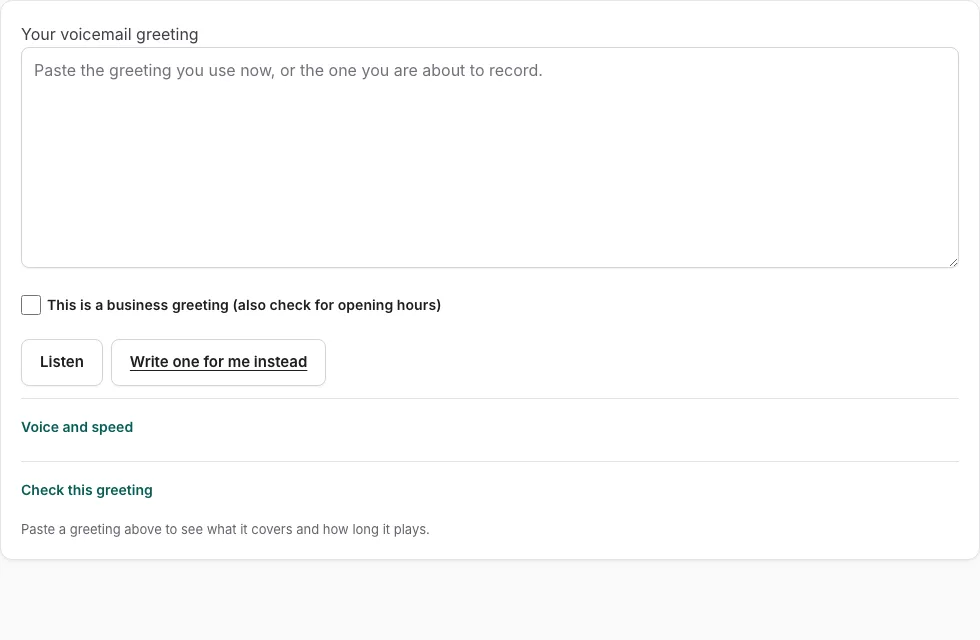
How to use the voicemail greeting checker
- Click into the box and type or paste your greeting. The checklist updates as you type, so you do not need to press a button to start.
- Read the five required checks: identity (who or what the caller reached), situation (why you did not pick up), instruction (what the caller should do), callback (when they will hear back) and length. Each one shows as passed or missing.
- For every missing check, read the tip beside it and change the matching part of your greeting. Checks look for typical wording, so treat a miss as a prompt, not a verdict.
- Check the estimated spoken length and aim for 6 to 30 seconds. Estimates use 2.4 words per second plus pauses per sentence and per spoken digit.
- For a business, tick “This is a business greeting” to add opening hours. An optional extra check covers another way to reach you.
- Scan the filler flags. Remove words such as “um”, the phrase “your call is important”, and any words written in all capitals.
- Press Listen to hear the greeting read back with your device voice, then edit and check again until it suits you.
Each passing check adds 20 points, so four passing checks score 80. Use the score to decide where to look next, then read the final version aloud yourself.
What should a voicemail greeting include?
A good greeting covers five things: who the caller has reached, why you did not pick up, what the caller should do next, when they will hear back, and how long the greeting plays. The checker tests each one separately, and each passing check is worth one fifth of the score. The score is the share of the five required checks that pass, out of 100.
| Check | What the checker looks for | Typical wording it accepts |
|---|---|---|
| Identity | Who or what the caller reached | “you have reached” |
| Situation | Why you did not pick up | “unable to take your call”, “closed”, “out of the office” |
| Instruction | What the caller should do | “leave your name and number”, “after the tone” |
| Callback | When they will hear back | “by the end of the next business day”, “within 24 hours” |
| Length | How long the greeting plays | 6 to 30 seconds |
Giving another way to reach you is an optional extra check and does not change the five-point score. For business greetings, the “This is a business greeting” box adds opening hours.
The checks look for typical wording, so unusual phrasing can be marked missing even when the meaning is there. Treat the result as a prompt, not a verdict. The checker also flags filler such as “um”, “your call is important” and words in all capitals.
How long should a voicemail greeting be?
Keep it between 6 and 30 seconds. The checker estimates spoken length at 2.4 words per second, plus 0.35 seconds for each sentence and 0.45 seconds for each spoken digit. A greeting outside the 6 to 30 second range fails the length check.
Digits add more time than words do. A phone number read out in full can use up a noticeable part of your 30 seconds, so keep numbers to the ones callers actually need. The estimate is a guide, so play the greeting back with Listen to confirm it sounds right in your own voice. Listen reads the text with your device voice, and nothing is uploaded.
Frequently asked questions
What to say in a voicemail greeting?
Say who the caller has reached, why you cannot answer, what they should do next, and when they will hear back. Keep the whole greeting between 6 and 30 seconds. The checker tests each of these points and shows a tip for any that are missing.
What should I leave as a voicemail greeting?
Leave a short, plain greeting that covers the five required points, not a joke or a long story. Avoid filler such as “um” and the phrase “your call is important”, because the checker flags both. Pick words that sound like you speaking normally.
How often should voicemail greetings be updated?
Update your greeting whenever your availability changes, such as holidays, vacations or new working hours. A greeting that promises a callback time or lists opening hours is only useful while those details are still true. Check it after every change to your schedule.
What should you say on your voicemail?
For a business line, say the business name, then your name and department if they apply. Add when callers can expect to hear back. Tick “This is a business greeting” in the checker to add your opening hours to the check.
What do you say when you leave a voicemail?
When you leave a message, start with your name and then give the reason for your call. Add your number so the other person can call you back, and keep the message short. The same habit helps the person who listens to your greeting, since they know what to do.
Related tools
- Voicemail Greeting Generator: Use it for greeting scripts for 17 situations.
- Professional Voicemail Greeting Generator: Use it for professional greetings with a checklist.
- Voicemail Greeting Script Builder: Use it for build a script block by block.
- How to Record a Voicemail Greeting Online: Use it for record and download a phone-ready WAV.
- Business Voicemail Greeting Generator: Use it for business greetings with spoken hours.
- Personal Voicemail Greeting Generator: Use it for personal greetings for a cell phone.
- Voicemail Greetings: Use it to browse business, personal, holiday, funny and more.